THE #1 CONVERTING CTA
Engineered for Maximum Conversions from Years of Research
Sign up now to join our beta testing program.
$19/agency
$9/sub account
FREE
[Instantly]
WHY IT WORKS

Science-Backed Design
Years of research distilled into one powerful button.

Gamification
Progress trackers and visual cues keep users engaged and moving forward.

Psychological Triggers
Subtle rewards tap into user psychology, turning conversions into achievements.
WHY US
The 20-Point Conversion Checklist
We'll analyze your current CTA against 20 critical factors, ensuring it's optimized for peak performance.

COLOR IMPACT
The color of a CTA button plays a critical role in how quickly it grabs attention and encourages action. Research shows that optimizing the color for visibility and contrast can boost conversions by up to 21%. Colors like orange, green, and red tend to perform well because they evoke different emotions and stand out against various backgrounds. The key is ensuring your button contrasts with the page but also fits within the overall brand aesthetic. Example: A bright orange button on a blue background will immediately draw the user’s eye due to the contrast between complementary colors.

POWER WORDS
Power words are persuasive words that trigger an emotional or psychological response. Words like "Instant," "Exclusive," "Boost," and "Limited" can make your CTA more compelling by appealing to the user’s needs or desires. These words drive urgency and excitement, tapping into emotions that motivate action. When used strategically, power words can significantly increase conversions. Example: "Get Instant Access" or "Boost Your Results" implies immediate benefit and adds emotional appeal to the CTA.

TEXT ALIGNMENT
Proper text alignment helps with readability and aesthetic appeal. CTAs with text that is center-aligned are easier to scan and more visually appealing on most screen sizes. This keeps the user focused on the action without any distractions or awkward design elements. Center-aligned CTAs also tend to perform better for mobile users, ensuring consistent readability across devices. Example: Center-aligned text on a "Sign Up Now" button makes it immediately clear and legible on all screen sizes.

URGENCY TRIGGERS
Creating a sense of urgency in your CTA increases the likelihood of immediate action. Phrases like "Limited Time Only" or "Offer Ends Soon" can increase conversions by 332%. Urgency taps into FOMO (fear of missing out), prompting users to act quickly before the opportunity is gone. It also leverages scarcity, making users feel the offer is special or exclusive. Example: A CTA button that says "Get 50% Off – Offer Ends Today!" creates a compelling reason for the user to act now.

PAGE LOCATION
The placement of your CTA on the page plays a key role in its effectiveness. CTAs that are positioned above the fold (the section visible before scrolling) tend to have higher visibility and engagement. However, placing CTAs at the end of persuasive content (below the fold) can also be effective if users are already invested in the content and ready to take action. Placing CTAs in natural flow with the content ensures that the user doesn't have to hunt for the next step. Example: A CTA placed immediately after a product description with benefits listed encourages action when the user is most engaged.
WHITESPACE
Adequate whitespace (or negative space) around the CTA is essential for making it stand out. It separates the CTA from other elements on the page, guiding the user’s focus directly to the action. Whitespace reduces clutter and increases clarity, helping to boost conversions by up to 232%. Example: A CTA surrounded by ample space on a product page with minimal text and images ensures that the button draws the user’s attention.
And 11 More

SIZE
The size of the CTA button is crucial for both visibility and usability. A button that is too small may go unnoticed or be difficult to click, while a button that’s too large can overwhelm the page and reduce clarity. A good rule of thumb is that the button should be large enough to stand out but still balanced within the page’s design. Studies show larger buttons can increase click-through rates by 90%. Example: A CTA button around 50px tall works well across most devices, providing enough space to be both legible and easily clickable.
HIGH CONVERTING WORDS
Using specific, action-oriented words in your CTA can significantly increase engagement. Words like "Free," "Now," "Exclusive," and "Get" appeal to the user's desire for immediate results or value. Studies suggest that action words can boost conversion rates by as much as 121%. It’s important to ensure the language is clear, benefits-driven, and motivates action. Example: Instead of "Submit," a button that says "Get Your Free Guide Now" creates more excitement and directs users towards a clear benefit.
NUMBER OF WORDS
The length of the CTA text should be concise yet clear enough to convey the action and benefit. CTAs with 2 to 5 words perform best, as they’re easy to read and understand quickly. Keeping it short prevents cognitive overload, while still providing enough information to encourage action. Example: A button that says "Start Your Free Trial" is clearer and more effective than a longer phrase like "Click Here to Sign Up for a 30-Day Free Trial."
WHAT ARE THE EXPERTS SAYING?
The best results from gamification seemed to occur when groups of students were broken into teams and competed against one another, creating a 'collaborative and competitive environment.
Sebastian Deterding, Chair of Design Engineering at Imperial College London

Jane Doe
Gamification works by providing learners with extra motivation and feedback that helps students measure progress. What it does is break things into small steps and says, ‘We’re going to give you a little bit of positive reinforcement for finishing a task.'
Naomi Clark, Chair of NYU's Game Center, Tisch School of the Arts

Laura Tirana
Post Address and Mail
Email: [email protected]
Address
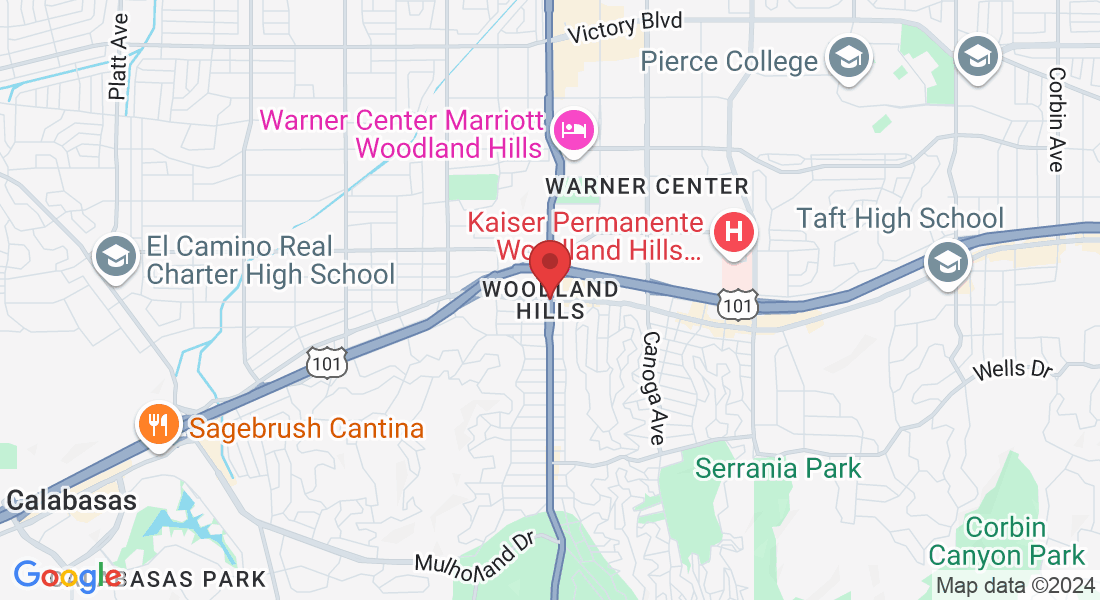
Office: 21825 Erwin PMB 1070, Woodland Hills, CA, 91367US
Get In Touch
Assistance Hours
Mon – Fri 9:00am – 5:00pm PST
Sat, Sun – CLOSED
Phone Number:
(747) 314-3979